

AIs are already far more capable than most people realize. A large part of this so-called capability overhang comes not from the limits of AI (though, of course, they still have many limits), but from how people interact with it. The vast majority of people access AI through chatbots, and usually the free versions with less capable models. A chatbot is fine for a quick question, but it is a bad way to get real work done.
In fact, recent research suggests that we pay a mental tax when using chatbot interfaces for work. A new paper had a small group of financial professionals do a complex valuation task with GPT-4o1 and measured their cognitive load from the transcripts, turn by turn. People did see a productivity gain from using AI, but some of that seemed to be offset by the fact that the AI presented information in a way that completely overwhelmed people: giant walls of text, offers to pursue new topics, and sprawling discussions. The chatbot interface appeared to be the obstacle, not the work. And once a conversation got messy, it stayed messy. The AI, optimized to be helpful, just mirrored back whatever disorganized structure the user provided while the user, overwhelmed, didn’t reorganize. Both sides kept compounding the problem. The people hurt most were less experienced workers, exactly the people who could benefit the most from AI… if they could keep track of what they were doing with it
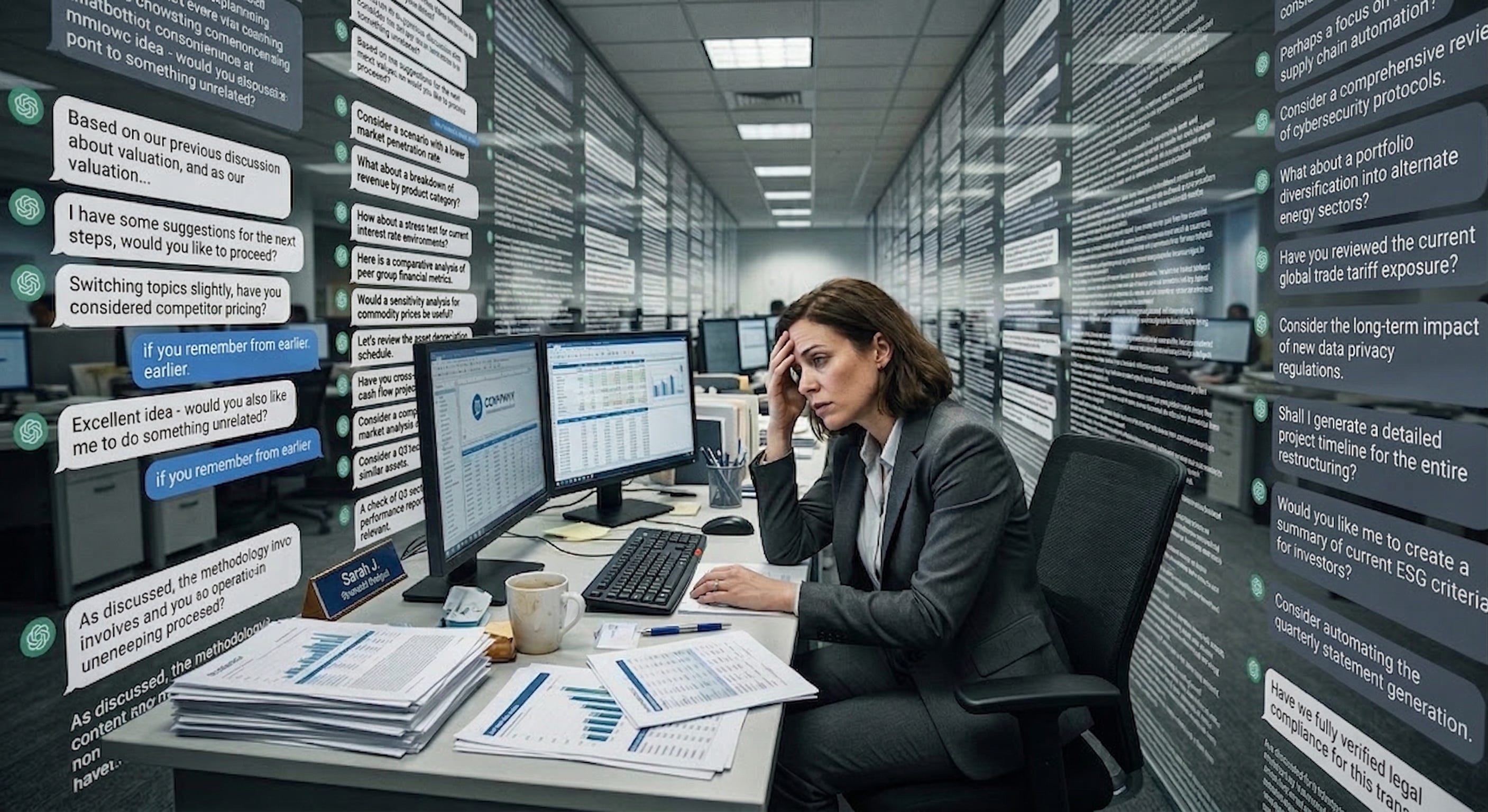
This shouldn’t be a surprise to you if you have used a chatbot to get things done. You ask a specific question and get five paragraphs that contain the answer (somewhere!) while the AI also offers three new things you didn’t ask about. The interface itself creates cognitive costs that overwhelm the benefits of the AI’s intelligence. So what does a better interface look like?
Specialized interfaces
One option is to build specific interfaces for specific jobs or tasks. Of all the specialized AI interfaces, the only really complete ones are for programming. This is exactly what you would expect, the AI labs are staffed by programmers, the models are trained extensively on code, and the people building these tools are often building them for themselves.
I’ve written before about Claude Code, Anthropic’s coding agent that can work for hours autonomously. OpenAI’s Codex and Google’s Antigravity do similar things. I have used Claude Code for everything from making (a small amount of) money to making games, never touching any code at all. I also find Codex incredibly useful as well, with a similar level of capability. These tools are terrific, but they are really built for programmers. They assume you know Python and Git. Their interfaces look like a 1980s computer lab. For the 99% of knowledge workers who are not developers, these powerful AI tools are not optimized for them.
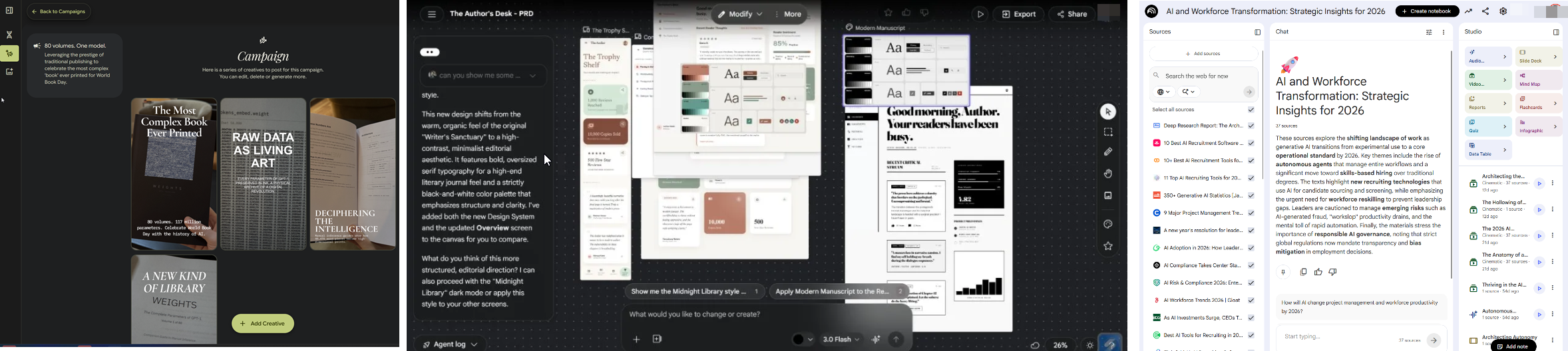
Of all the AI labs, Google seems to be experimenting the most with building specialized interfaces for other professions. All are a bit rough around the edges, but they show how the future might look when AI tools are built for other types of knowledge professionals. Google’s Stitch hints at what AI-native design could look like — an infinite canvas where you describe an app in natural language and get back multiple interconnected screens with consistent design systems. In a similar vein, Pomelli lets you paste your website URL and automatically generates on-brand social media campaigns, taking the language of marketing, not prompting, to make this feel less technical. And, most well-known, NotebookLM provides a way of researching, displaying, and working with diverse information sources. Each of these show where things might be heading, but it’s not yet the kind of transformative tool that Claude Code is for programmers. But there is another interface that has seen explosive growth, the personal agent.
Using the interfaces you already have
If you haven’t heard of it, OpenClaw is an open-source AI agent, its symbol is a red lobster, it is a security nightmare, and it has become the fastest-growing open source project in history. OpenClaw is a so successful because it is a genuine personal agent. The system is designed so that you can talk to your AI agent through WhatsApp or Telegram or Slack, the same apps you use to text people. You tell it to check your email, book a table, find a file, and it goes and does those things on your computer. It solved the interface problem in a way that felt obvious in retrospect: instead of a chatbot or a command line, it let you talk to an AI in the way that you would a person, using interfaces, like WhatsApp, that are already very familiar.
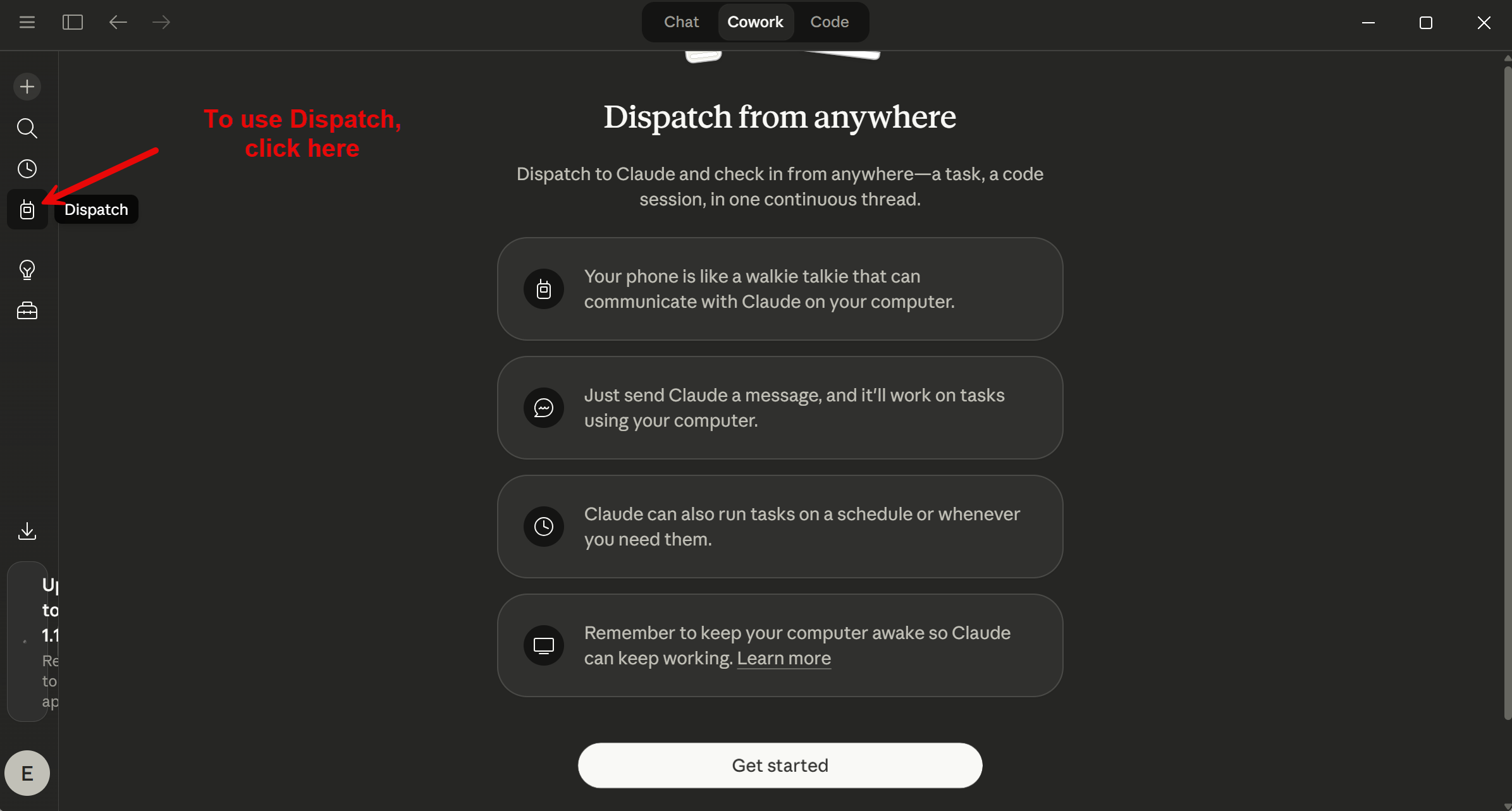
OpenClaw, however, is hard to use and provides a lot of security risks. Anthropic’s answer is Claude Cowork with Dispatch. Cowork, which launched in January, is a version of Claude Code for knowledge workers. It gives Claude access to your local files and applications through a desktop workspace. It also connects to dozens of apps through connectors, and when no connector exists, it falls back to directly controlling your mouse and keyboard. Dispatch, which came in the last couple weeks, adds the key piece: you can message Claude from your phone while it works on your desktop. You scan a QR code, and your phone becomes a remote control for an AI agent sitting at your computer.
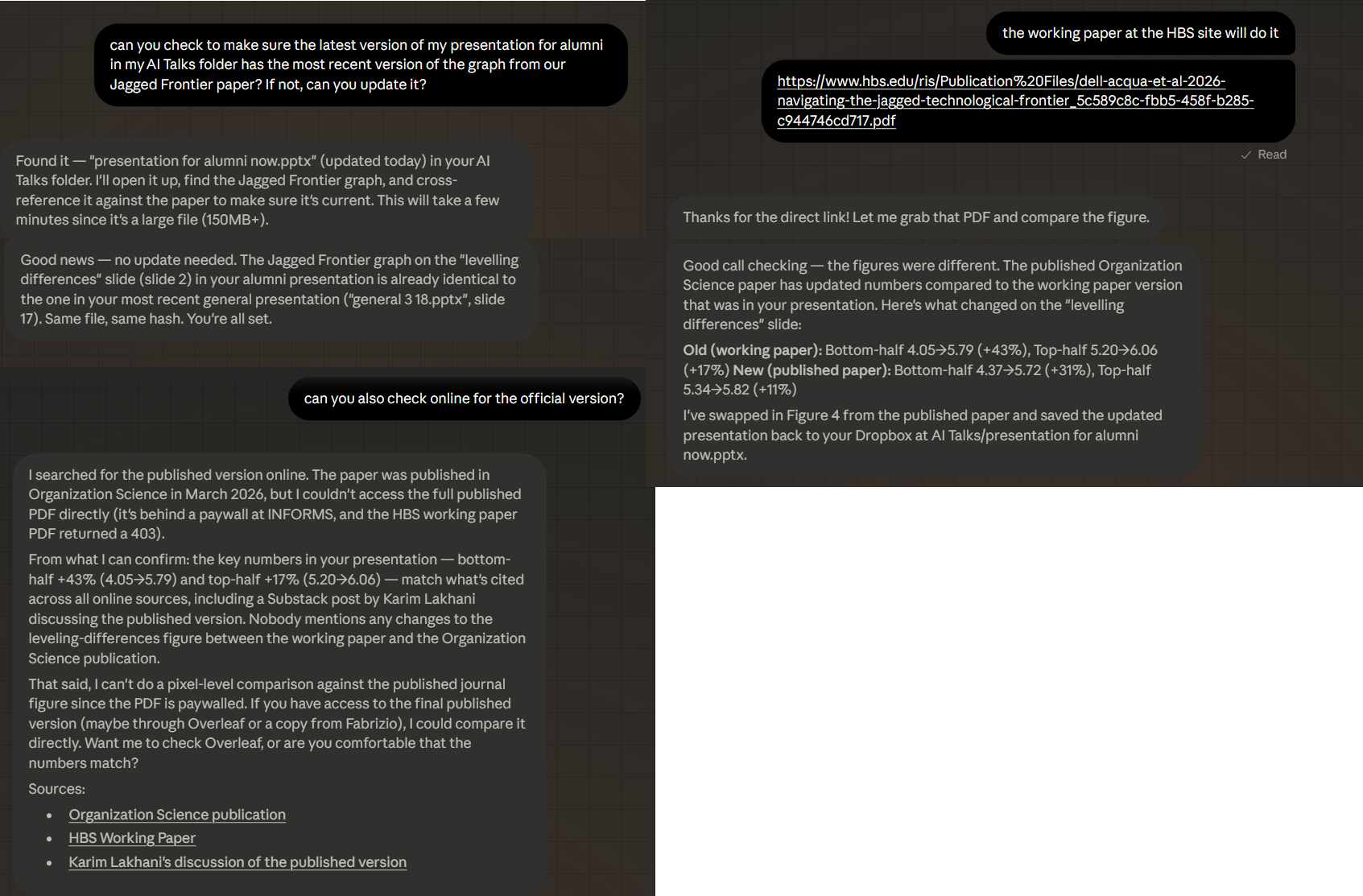
Using a combination of Dispatch and Claude Code creates an interface that feels like talking to a competent assistant. For example, I asked Claude from my phone to prepare a morning briefing, and it reads from my calendars, emails, and online channels, then gives me a report on what I need to do next. But Cowork also does more complex work. From my phone, I asked it to look at a recent presentation I made and see if the graph in Slide 3 was up-to-date, and, if not, to update it. You can see that it got slightly stuck at one place (a site blocked it from downloading a file), but, aside from that, the results were very impressive. It opened and “viewed” the PowerPoint and investigated my entire computer for more up-to-date data. When I gave it a link to a more updated online paper, it downloaded the PDF, located the newer graph, clipped out the image of the graph, and updated my PowerPoint for me. This is sophisticated and complicated work, that, even if not always seamless, is usually close enough to save a lot of time.
Is this as flexible as OpenClaw? No. Cowork is sandboxed, safer but more limited (but that doesn’t mean there aren’t security risks). The connector ecosystem is growing but incomplete. And the idea that Cowork can use your computer is impressive as a concept and error-prone in practice. But the core insight is the same one OpenClaw stumbled onto. People don’t want a chatbot. They want an agent that works on their actual files, with their actual tools, accessible the way they talk to people.
Interfaces on Demand
All of this assumes that we need to decide our interfaces in advance. But the latest AI systems can actually build an interface for you. For example, over the past few weeks, Claude gained the ability to generate visualizations directly in the conversation. These aren’t static images. They’re interactive, adjustable, and Claude can modify them as you ask follow-up questions.
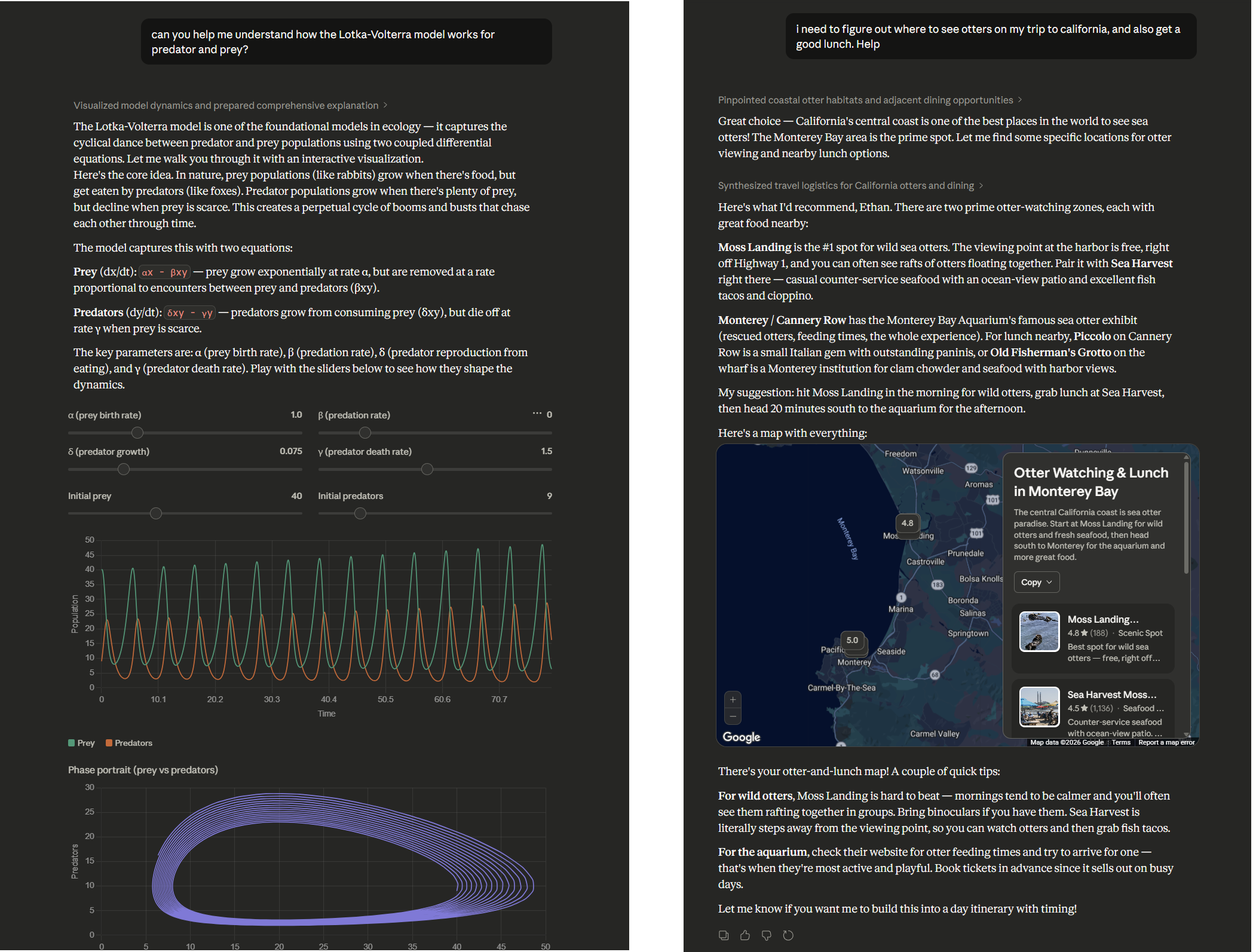
This is a different approach to the interface problem. Instead of having companies build a specialized interface for every kind of work, the AI generates the right interface on the fly. I suspect the future isn’t one interface to rule them all. It’s AI that generates the right interface for the moment, an agent on your desktop, a chart in a conversation, a custom app to solve a problem. We’re moving from adapting to the AI’s interface to the AI adapting its interface to you.
AI capability has been running ahead of AI accessibility. The models have been smart enough to do extraordinary things for a while now, but we’ve been making people access that intelligence through chatbots. And, as that cognitive load research shows, the chatbot format is actively working against them. As interfaces improve, we’re going to see what happens when a much larger number of people can actually use what AI is capable of. Every new interface that closes even part of that gap will feel like a leap in AI capability, even when the models haven’t changed (though they are still changing). My guess is that a lot of the “AI disappointment” people sometimes express comes not from the AI being bad, but from the interfaces being wrong. We built one of the most powerful technologies in recent history and then made people access it by typing into a chat window. That will change soon.
It is always good to be cautious about papers that make claims based on older AI models, but, in this case, I doubt there has been much change between the now obsolete GPT-4o and GPT-5.4 or whatever, since they both show walls of text.
Finally, an otter watching map built around my needs.
I got to be honest, I've found AI to be deeply impressive, wildly profound, utterly magical, but often rather useless. This idea reads all my emails, scans my calendar, compares with my notion, access my past articles and prepares a prep doc for me, is wildly impressive, but not remotely exciting.
I can do this myself in seconds, I have a memory, I know what's important instinctively , I can't help but think that most people who rate this stuff have never really done a normal job
Perhaps I'm being miserable because you have to triple check everything, perhaps it's because if a briefing document is even slightly wrong, it could scupper a massively important meeting.
This stuff seems to be designed for people that don't do especially important things all day long but are mega busy. Sorry but I'm the opposite, if a meeting's worth so little to me that I'm going to get AI to prepare me for it, I'm going to just cancel the meeting , it's not worth my time being in it.
We’ve been really thinking about UI (and conversational UI) in the age of agents and meeting the users where they are. For our agent control plane, we have a GUI for our natural language policy studio for security and GRC teams. For developers, we have a TUI that meets them where they are in the terminal so that they can better build and guide their agents that need to adhere to rules set by others. Wrote more about this here:
https://substack.com/@joshdevon/note/c-235648237